Model in the same Rhino file, at the same time.
RhinoCollab is a plugin for Rhino 3D. Connect to one .3dm file and model in it together, live, like joining a server. Edits stream between sessions as they happen, so nobody exports, zips, or names a file final_v2.3dm
Rhino 8, Mac and WindowsFree to join any project. One week free to host your own.
- Download your .3dm any timeThe latest copy of any file you host is one click away on your dashboard.
- Encrypted in transit and at restHTTPS everywhere. Files and the database are encrypted where they are stored.
- Payments through StripeCheckout runs on Stripe. Your card details never reach our servers.
- Operated by ASH Software, SwitzerlandDetails in the imprint.
What happens in a session
One person hosts a .3dm, the others open it from the RhinoCollab panel in Rhino, and everyone models in it at once. Built for architects, designers, and engineers who work in Rhino 3D.
Live sync
Edits stream between everyone's Rhino as they happen. Each person has a colour, and it marks their cursor and whatever they have selected. A chat stays with the file.
Object locking
An object locks while someone edits it, with their name on it. First grab wins, so nobody overwrites anyone by accident.
Host, invite, download
Drag a .3dm onto your dashboard to host it and invite people by email; joining is free. Push a numbered revision when the state is worth keeping, and download the file as a regular .3dm any time.
Getting started
- 1Open the Package Manager In Rhino, type PackageManager in the command line.
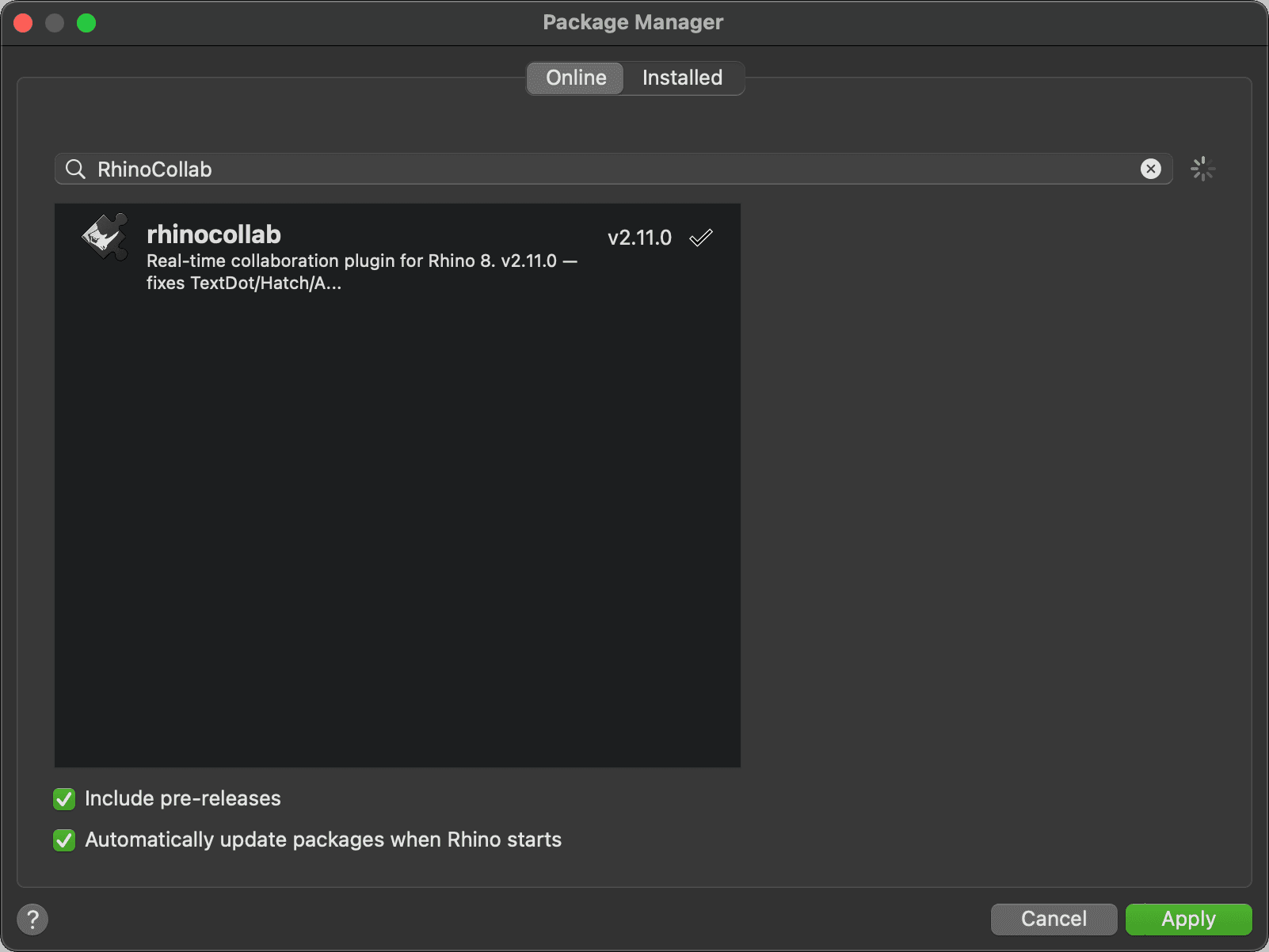
- 2Search “RhinoCollab” Switch to the Online tab and type RhinoCollab in the search field.
- 3Click Apply Restart Rhino when prompted. RhinoCollab now appears in your toolbar. Sign in with the same account you use here.
 Compatible with Rhino 8 on macOS & Windows
Pricing
FAQ
What is RhinoCollab?
It's real-time collaboration for Rhino. You and your collaborators edit the same 3D model at the same time, kind of like Google Docs or Minecraft server but for modeling. See how a session works.
How do people join my project?
The host sends an email invite. Your teammates get the invite, accept it, and they're in. No codes to copy or share around.
Do we all have to be online at once?
No. Your project lives on the server all the time, so you can work alone or together whenever you want. Nobody has to keep their computer running to “host” it.
Where is my model stored?
On a private, secured server. We keep your data protected so it's safe and always waiting for you when you come back. You can also download your model as a regular .3dm file whenever you like.
What if two of us grab the same object at the same time?
Objects lock while someone's editing them, and you can see who's got what, so you won't accidentally overwrite each other. The tutorial explains editing at the same time.
Can I see what everyone else is doing?
Yes. You can see who's in the session and what they've got selected, each person shown in their own color.
Are you affiliated with McNeel?
No. RhinoCollab is an independent plugin built on Rhino's SDK.